2019 West African Examinations Council (WAEC) May/June West African Senior School Certificate Examination (WASSCE) results are out and they are available online.
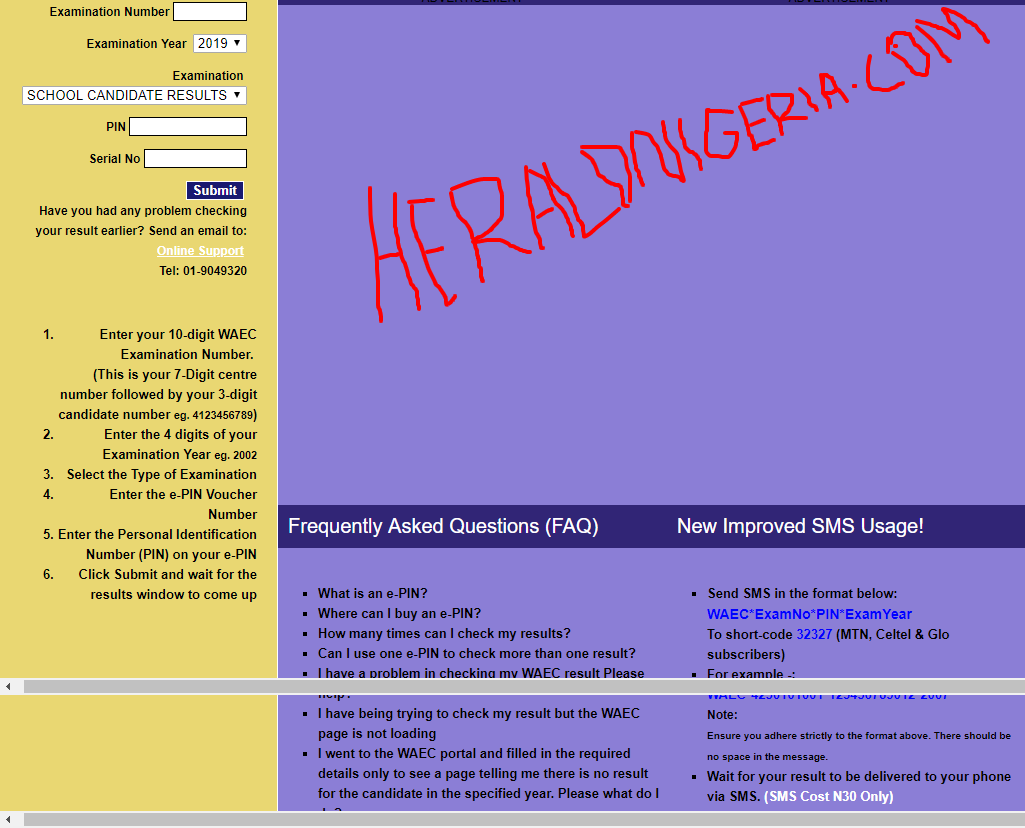
Checking the result is very simple. Remember the smart identity card used during the exams? Well the result checker pin and serial number contained on it are all that is needed.
All you need to do is:
1. Go to https://www.waecdirect.org. which is the WAEC result checking portal.
2. Enter your WAEC Examination Number in the required column.
3. Select your Examination Year which is 2019.
4. Select your Examination Type which is “school candidate result”.
5. Then enter the Card Serial Number.
6. Enter the Card PIN afterwards.
7. Finally, click “Submit” button to get your 2019 WAEC Result.